Preamble
I recently had an interesting conversation with some family about coding. They had done a cursory Google search and started familiarizing themselves with the coursework provided by CodeAcademy (a resource I also turned to when I started programming for the very first time). I was very excited that they had taken an interest, and put together some reading material to help orient them to this amazing domain. By the time I was finished however, it had grown wildly large. So I wanted to take the material and turn it into a post!
If you are thinking about learning how to code, consider this a primer. This post won’t teach you syntax or structure (there are many different resources that already exist that you can reference - links to several included at the bottom of the post). However, this will contextualize and answer some questions you may have (certainly some I had) about how or why some programming languages are used.
Why are there so many programming languages?
There are literally hundreds of programming languages that exist across the technologies we employ, with more being generated every year. Some you may be familiar with (Python, Javascript, and C++) while others you may never have heard of before (Lisp, Hugo, IBM HAScript). Most of the time, new languages are developed either because they:
Perform/execute a task more effectively than existing languages.
a. MATLAB and R are both very adept at structuring and presenting mathematical models through computing functions in parallel processors, making them desirable for statiticians and academics.
b. Java (not to be confused with the similarly-named but otherwise totally different Javascript) utilizes a kind of virtual machine intermediary, allowing it to be compiled and run across many different operating systems and platforms.
Handle/model data in a way that isn’t done by existing languages.
a. Most languages you’ll hear of are “Object-Oriented Programming Languages”, which structure themselves around abstract ‘objects’ which contain data. Examples include Python, Java, Javascript, Perl, Scala, and more.
b. Some languages use the “Functional Programming” paradigm, where computations are instead handled as the evaluation of mathematical functions. Examples include Haskell, Lisp, and Scheme.
Which programming languages should I learn?
This simple question requires a nuanced answer. I would suggest that your learning should be purpose-driven: Defining/refining the reason for learning a programming language will often narrow the list of programming languages you might consider. It doesn’t make sense to learn Ruby if your job requires you to write in Swift, for example.
Because many modern programming languages are both flexible (often structured in a packaged, open-source format) and extensible (added functionality typically available via assorted frameworks), you’ll generally find similar functionality regardless of the language. What’s generally important is understanding the basics and how they work at a high-level (do you know what a method/function is? What about data types and data structures?).
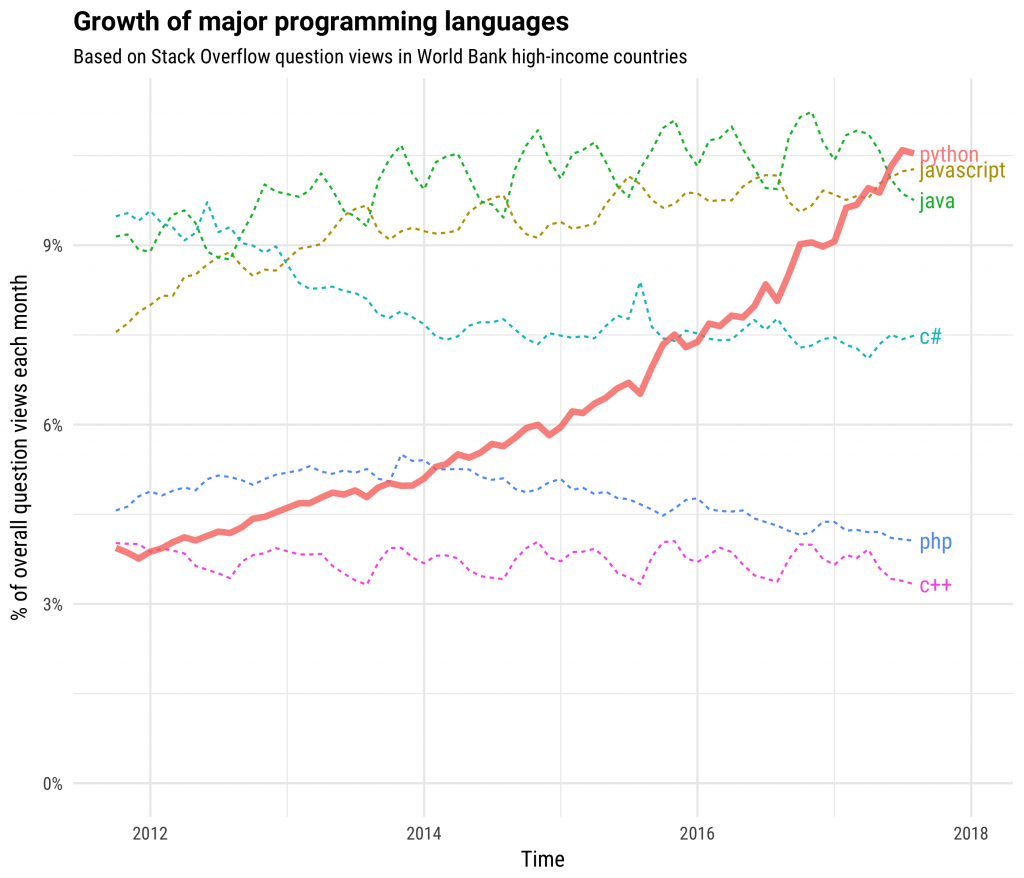
So what are people using lately? According to StackOverflow’s 2019 Developer Survey, the most popular languages are JavaScript, HTML/CSS, SQL, Python, and Java. For the seventh year in a row, Javascript is the most commonly used programming language. Python is the fastest-growing major programming language, having overtaken Java this year and C# the year before.
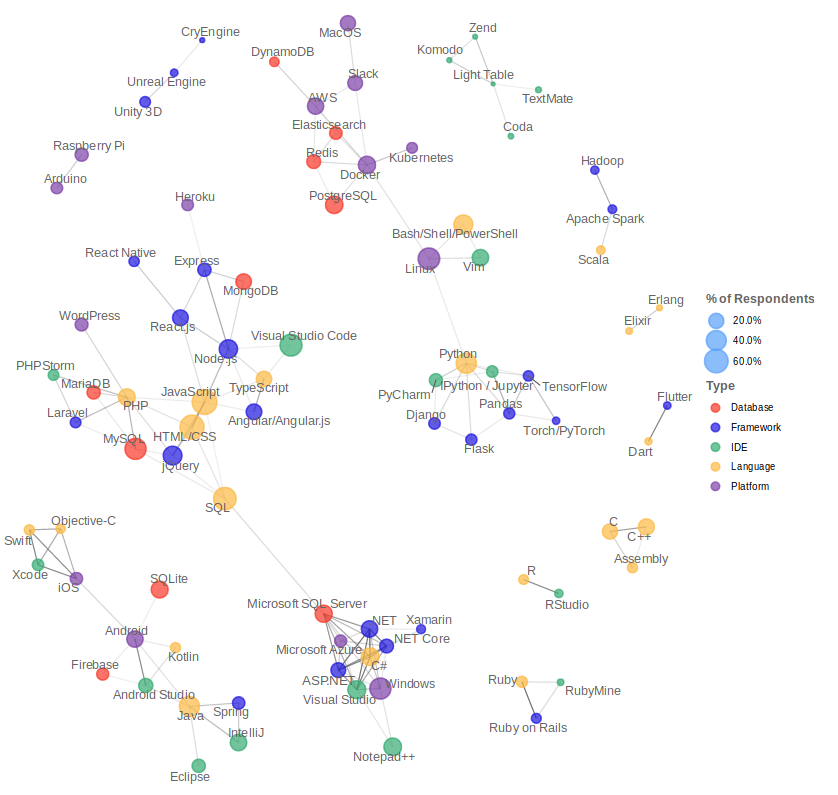
Some languages are more prevalent in certain domains. For web development, JavaScript, HTML/CSS, TypeScript, and React.js are often paired via SQL to some Microsoft tech (with C#, Visual Studio, and .NET Core). Operations technologies such as Docker, AWS, and PostgreSQL are connecting to Python applications through Linux.
What is a web stack? Full stack? Front end? Back end?
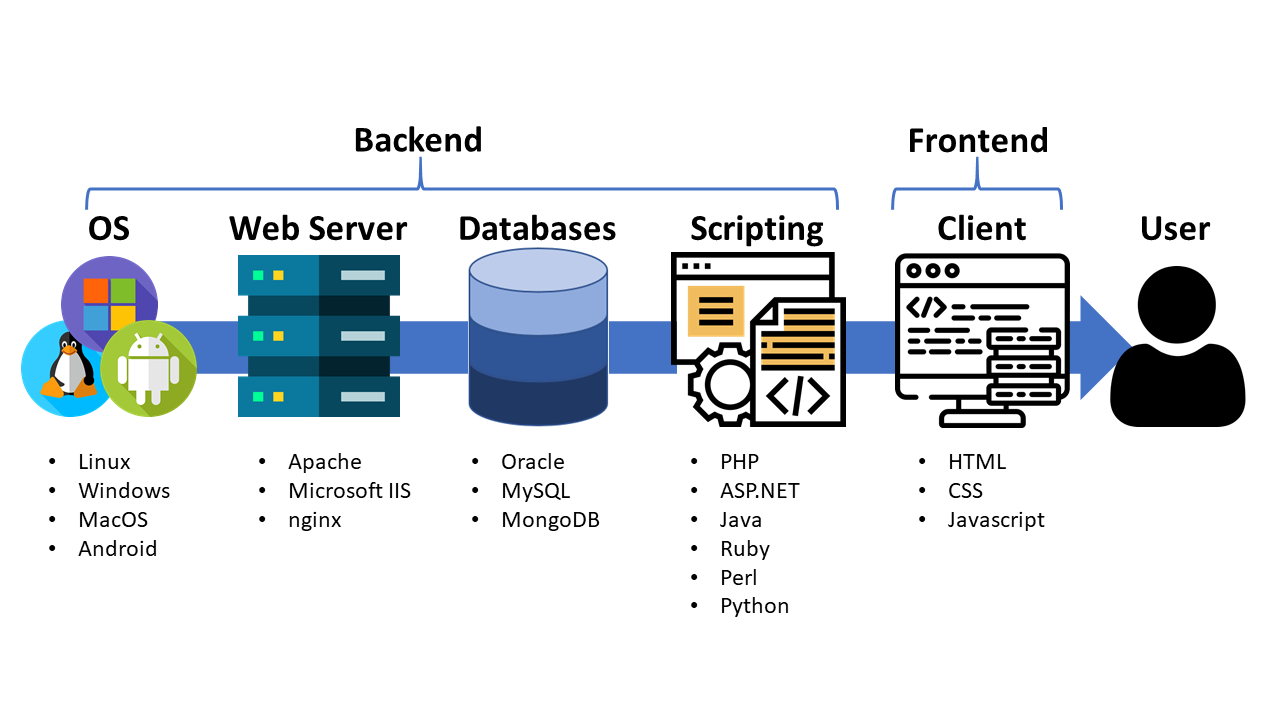
A web stack is the collection of software needed for web development. The collection is often arranged in layers supporting one another, making up a “stack” of software. Typically, the minimum requirements for constructing a web stack includes an operating system (OS), a webserver, a database, and a script interpreter. Together with the proper server hardware, these technologies will forward information to connected clients. The client’s browser then processes the HTML/CSS and javascript codes and depicts the web page for the user.
OS
The OS comprises the central interface between the basic server hardware as well as the other applied software components; it relies on hardware resources to ensure applications function, including web servers.
Web Servers
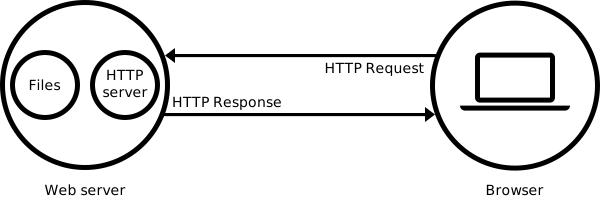
These are installed on the operating system. A web server is a type of software that delivers documents to requesting clients. Via networking protocols such as HTTP, client requests are passed on to the web server. If the requested documentation deals with static content, like HTML files or images, the web server processes the request by sending the data to the client. By contrast, dynamic content is rendered with the help of databases and script modules.
Databases
Database systems retain volumes of data relevant to the web project. This data is meant to be stored, altered, and deleted as needed (such as a list of user account information as they sign up). For this process to function, the server uses server extensions to put in requests, which are then processed by the databank and sent back to the extensions. These extensions generate a compatible output, like HTML, that is forwarded to the web server.
Script Interpreter
Without script interpreters, web servers would be unable to realize dynamic websites and applications. Script interpreters operate client-side (such as within the client’s browser). Certain calculation processes for depicting sites take place through server side scripting as well.
There are a variety of combinations of technologies that can makeup the backend stack. Some of the more popular ones include:
- LAMP: Linux - Apache - MySQL - PHP/Perl/Python
- LEMP: Linux - Nginx - MySQL - PHP/Perl/Python
- MEAN: MongoDB - Express - AngularJS - Node.js
- WISA: Windows - IIS - SQL - ASP.net
There are a couple of distinctions we should make at this point between front end and back end development:
Backend
Backend development is concerned with how a web application or database behaves or can be interacted with. Backend development is focused on “behind-the-scenes” activities, almost strictly concerned with how a server is configured and will operate. A backend developer ultimately will need to create an Application Programming Interface (API), which connects software, applications, databases and services together.
Frontend
Frontend development emphasizes style, form, and presentation. It works to display the backend content and provide an interface to the user. How a webpage looks will be determined by a frontend developer. A frontend developer will need to ensure their designs are responsive across a multitude of browsers and displays (including tablet and mobile devices).
Finally, a fullstack developer is someone who is proficient with all of the skills required of frontend and backend developer. They can consider themselves a jack-of-all trades.
What is a “server” and a “client”?
Since we’ve talked about it, we’ll briefly discuss the client-server model. This subject is more concerned with networking than programming, but since web technologies innately involve servers and clients, it’s worth a moment to highlight them. We will not be discussing client/server architecture in its entirety.
Client
A client is a computer hardware device or software that accesses a service made available by a server. The server is often (but not always) located on a separate computer.
Server
A server is a machine (may be physical hardware or virtualized) that provides services to connected clients.
As an example, a user attempts to connect to a website through their browser; the user’s computer is a client. The browser communicates with a Web Server (which in turn accesses the established backend). The Web Server will then deliver the content back to the client via the web browser.
What other programming exists?
There are plenty of other applications for programming that extend beyond building websites and web applications. Some examples include:
- Desktop programs (think: Spotify or Photoshop, for example) that provide functionality independent of the internet (example file formats: .exe, .py, .java).
- Operating Systems: software that manages computer hardware and system resources, specifies/provides tool that applications need to operate.
- Embedded systems programming: things where hardware/software are tightly integrated, such as robotics and home appliances.
Why do we need to install some programs but not others?
As you start coding, you may begin to wonder why your program may be able to execute immediately while other programs you use need to be installed. There are two primary reasons for why some programs use an installer:
- The program is complex.
- Using an installer is easier for the end user.
On their face, you can “install” a program by simply copying it to your computer. However, just because you’ve copied it does not necessarily mean it will run as expected. The program may have dependencies it looks for (such as Microsoft Dynamic Link Libraries, or .dll files); if the program is not installed in a drive or folder it was expecting, it may struggle to find those dependencies. The program may be designed to automatically run at particular instances (ex: Adobe Acrobat booting up by default whenever you open a .pdf file); if a particular registry hasn’t been altered to authorize that, then the program won’t automatically activate. Using an installer simplifies this process by changing/manipulating these values for the user; they don’t need to be intimately familiar with how the program should be configured in order to get it up and running. Similarly, downloading a single file (the installer) is much easier and less error-prone than having to download multiple files/directories (the result post-installation).
Note: not all operating systems handle installers the same way (or even have installers!). While both Windows and macOS both make use of installers, macOS doesn’t permit nearly as much programmatic alteration (standalone applications - .app - are distributed either through packages or disk images: .pkg and .dmg, respectively. Additionally, there are no ‘registries’ like in Windows; the closest comparable thing would be application property lists (.plist). Unix systems don’t even make use of installers; they just copy/paste the files and folders directly to a specified location on the machine.
So if traditional programs are ran directly on your computer (via installer or otherwise), why don’t you need to ‘install’ every web page you visit? The reason is because your web browser is ‘fetching’ and interpreting web pages on your behalf. As mentioned earlier, your machine is a client that is requesting to view the file(s) located on some other server. Your browser then interprets the HTML/CSS and javascript and displays it on your screen. You can actually view the source code for yourself by using your browser’s developer tools (F12 on the keyboard) and can save that webpage locally to your own computer (note: saving a webpage only saves it in its static state).
In getting started with programming, you don’t need to concern yourself with installers. Just know that the code you are writing at this moment is just as functional (if not far more streamlined and simple) than larger programs you already use.
What are “high level” vs. “low level” programming languages?
No matter the programming language, the point of code is to get your computer to do something. This begs the question of how we – as humans – can communicate with a non-organic, unintelligent object; after all, our computers are just metal, plastic, and silicon absent any power.
At the lowest possible level, we have the hardware itself. This communicates through signals, either through light (in the case of fiberoptics) or electrical (standard house power). Signals can be in one of two states: on or off. However, since humans cannot readily/easily control the flow of light/electricity or execute the transition of off/on at a rate comparable to machines, we need to adopt a higher level of abstraction.
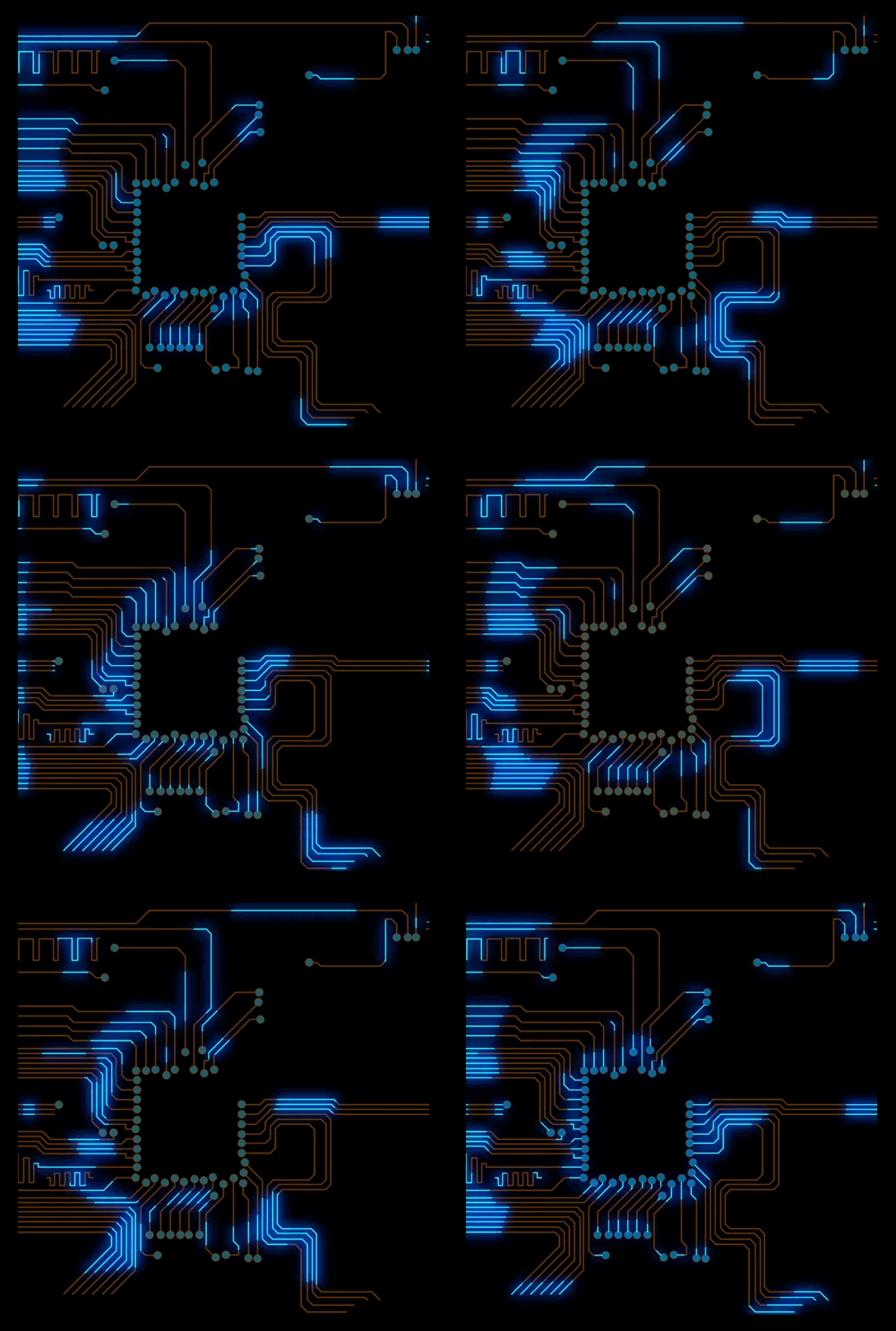
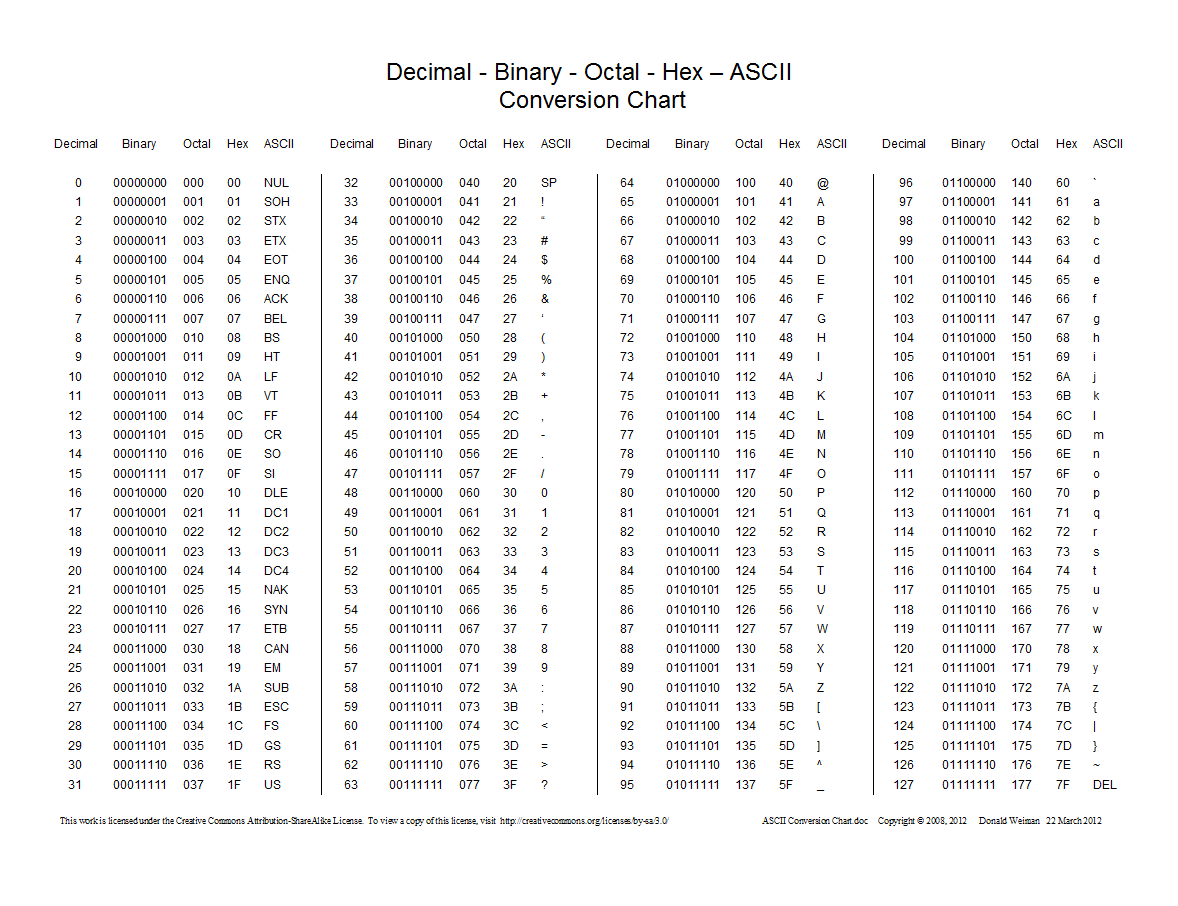
The next level up would be Machine Language. This is the closest language to the hardware itself, being made up of a series of binary patterns (zeroes and ones). When grouped together, these binary patterns represent simple operations for the computer to perform. However, programming in machine language is incredibly tedious and requires memorization of many binary codes. Because this is still very difficult (but doable!), most people adopt a higher level of abstraction.
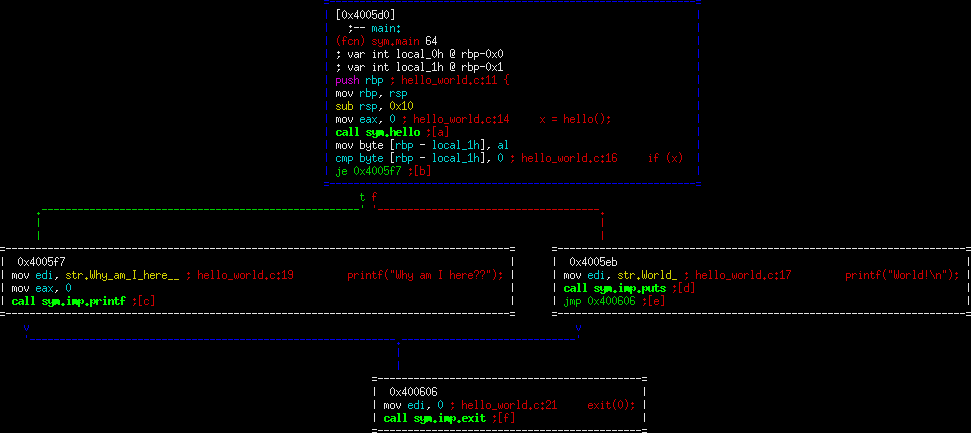
The next step up is Assembly Language. At this level, machine language instructions are replaced with simple pneumonic abbreviations (“add”, “mov”, “jmp”). Prior to a program’s execution, assembly language instructions are translated into machine language through the use of an “Assembler”. Most programmers have seen assembly language, but few are actually fluent enough to read it (let alone program in it), therefore even MORE abstraction is required.
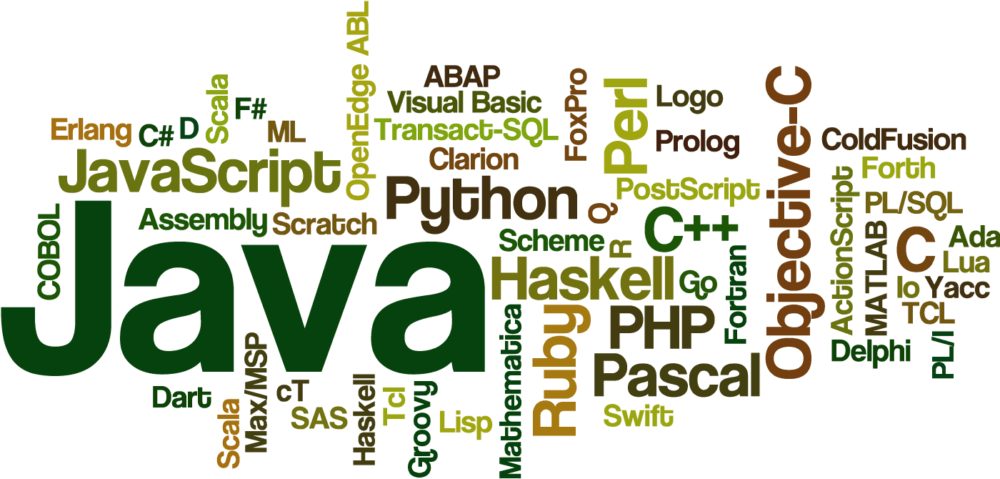
The next level is where almost all programming languages lie, with varying degrees of additional layers of abstraction. Some still give the developer quite a bit of control over how the computer manages memory and data (C, C++, Java), while others forsake that control for easier syntax to read/write (Ruby, Python). Variables, objects, routines, and loops are all important parts of high-level languages. Where an assembly language has a nearly one-to-one correspondence between its commands and machine code, higher-level languages might be able to send dozens of commands with a single line of code.
There are pros/cons to writing in either a high- or low-level language. Low-level languages - due to requiring little interpretation by the computer - generally run very fast. Additionally, they give developers a lot of control over data storage, memory, and retrieval. High-level languages are generally easier to understand and learn, letting programmers write code much more efficiently. As someone starting to write code on your own, stick with high-level languages for now.
What is a good way to get started?
At this point, you may have already started writing some code; if so, great! Keep going! If not, that’s also okay. Hopefully this documentation has helped provide some orientation on the domain of programming languages to help you on your way. What’s important in the meantime is that you get started writing code to develop that skillset. If you haven’t already gotten started, have a crack at learning how HTML/CSS and Javascript tie together. By writing in these languages, you’ll start to develop a foundation for programming that can readily carry over to many other modern programming languages.
What are Javascript, HTML, and CSS?
Let’s talk a bit about HTML/CSS and Javascript. Javascript, Hypertext Markup Language (HTML) and Cascading Style Sheets (CSS) are languages designed for the web. Each is designed for a different purpose in web design and requires an understanding of the differences between “markup languages”, “style sheet languages”, and “scripting/programming languages”:
Markup Languages
A computer language that is used to control the presentation of data by using tags and defining elements within a document. It is human-readable, which allows people like you and me to read quite a bit of standard language directly from the document, rather than programming syntax or characters (such as binary). HTML is a markup language.
Style Sheet Languages
A computer language that expresses the presentation of structured document. These can be thought of as a repository of styles that your mark-up language documents reference. CSS is a style sheet language.
Scripting/Programming Languages
Scripting language is a computer language that is designed for the automation of task execution, often serving as a communicator/integrator between other programming languages. They typically are interpreted by source code (or are semi-compiled), rather than traditional programming languages being compiled to native machine code for the system. Programming languages are used to transform data by creating CPU instructions that rewrite input data to output. All scripting languages are programming languages (but not all programming languages are scripting languages). Javascript is a scripting language.
In more abstract terms, we can think of HTML as being the structure or framework of a house. It declares where walls should be, how many floors it has, and where rooms are in relation to one another. By that same token, CSS lends an aesthetic to the house: if there are walls, then CSS dictates what color they are; if a room is designated a kitchen, then CSS dictates the presence of countertops, sinks, and hard floors. Lastly, Javascript governs the function/behavior of the house: doors should open, close, and lock; water should flow from faucets (and nowhere else); and the thermostat should control the temperature.
What do I need to code?
One of the final things you’ll need before you get coding is an Integrated Development Environment (IDE). This is your canvas and workspace. An IDE is set up for you to write (and run) your code. A good IDE will be configured to optimize or provide shortcuts to help ease you into coding. In some cases, you could just write your code in something as basic as Notepad (or its slightly more code-friendly version, Notepad++). There are dozens of IDEs to choose from; you might want to use Netbeans when coding in Java and then Spyder for python. It’s really your preference as a developer. Below are some for your consideration when getting started:
Js.do:
This is an online, in-browser IDE; no installation required. This can be helpful if you are feeling apprehensive about installing a particular IDE. Alternatively, this is also handy for when you need to whip together some code on the fly!
Brackets:
This is a lovely, light IDE that is easy to customize. It was designed explicitly with Javascript in mind (although it can readily handle HTML/CSS, as well as some other languages). I pop into Brackets from time to time when I need to make some quick edits to something.
VS Code:
Visual Studio Code is one of the most common, robust IDEs available. It was developed by Microsoft for Windows, Linux, and macOS as a one-stop-shop for every coding language under the Sun. I do almost all of my coding in VS Code, if only for its versatility.
Where else can I learn more?
- The Coding Train: This youtube channel has a wonderful array of tutorials - particularly those in javascript.
- Daily Coding Problem: If you don’t have time to dedicate to larger projects, this is an excellent way to practice your craft in tackling a new challenge every day.
- Udemy / Coursera / edX / Udacity: Massive Open Online Courses (MOOCs) provide an array of courses - some free, most not - that can help get you spun up on a variety of programming languages.
- The Odin Project: a completely free and open-source learning site meant to teach beginners web development.
- Free Code Camp: a free resource and certificate-granting site that teaches by having you work on projects.
- and many other outlets!