This is the second post in a series of writeups for Overthewire’s bandit challenges. Last time, we reviewed how we navigated from bandit0 through to bandit10. In doing so, we examined several Linux OS commandline tools, various telecommunications protocols, and were introduced to several ports & services. While many of these topics may seem fairly rudimentary, they serve as a foundation for many Infosec and Information Technology (IT) professionals.
We continue our writeup by picking up where we left off:
Bandit Level 10 → Level 11
Level Goal
The password for the next level is stored in the file data.txt, which contains base64 encoded data Commands you may need to solve this level
grep, sort, uniq, strings, base64, tr, tar, gzip, bzip2, xxd
This challenge is meant to introduce us to the base64 encoding scheme, which is particularly prevalent on the web (ex: embedding image files into HTML/CSS files). Each base64 digit represents 6 bits of data, with “=” symbols appended to the end in instances that require padding. Linux can decode base64 strings using the base64 command with the “-d” flag. In this instance, we will first cat the text file to see what the encoded string looks like, then do the same thing but pipe the result through the base64 decoder:
bandit10@bandit:~$ ls
data.txt
bandit10@bandit:~$ cat data.txt
VGhlIHBhc3N3b3JkIGlzIElGdWt3S0dzRlc4TU9xM0lSRnFyeEUxaHhUTkViVVBSCg==
bandit10@bandit:~$ cat data.txt | base64 -d
The password is IFukwKGsFW8MOq3IRFqrxE1hxTNEbUPR
Therefore, the password for logging into the next tier is:
ssh bandit11@bandit.labs.overthewire.org -p 2220
password: IFukwKGsFW8MOq3IRFqrxE1hxTNEbUPR
Bandit Level 11 → Level 12
Level Goal
The password for the next level is stored in the file data.txt, where all lowercase (a-z) and uppercase (A-Z) letters have been rotated by 13 positions Commands you may need to solve this level
grep, sort, uniq, strings, base64, tr, tar, gzip, bzip2, xxd
This challenge utilizes a well-known (but relatively basic) cipher known as rot13 - short for “rotate by 13 places”. This cipher is a simple letter substitution cipher that replaces a letter with the 13th letter after it in the alphabet (for example: “AbC” becomes encoded as “NoP”); this is also a unique instance of the Caesar cipher developed in ancient Rome. Ciphers are utilized in the practice of cryptography to obfuscate and secure communications in the presence of adversaries.
To decode this cipher we can leverage the tr command, which translates characters from stdin to stdout, along with some regex (“regular expressions). First, we will cat the file to see what the original encoded message looks like, then we will apply our method to decode the message:
bandit11@bandit:~$ ls
data.txt
bandit11@bandit:~$ cat data.txt
Gur cnffjbeq vf 5Gr8L4qetPEsPk8htqjhRK8XSP6x2RHh
bandit11@bandit:~$ cat data.txt | tr 'A-Za-z' 'N-ZA-Mn-za-m'
The password is 5Te8Y4drgCRfCx8ugdwuEX8KFC6k2EUu
A note on the regex: the first string we provide (‘A-Za-z’) represents all characters that will be translated, both upper- (A-Z: ABCDEFGHIJKLMNOPQRSTUVWXYZ) and lowercase (a-z: abcdefghijklmnopqrstuvwxyz). The second string we provide (‘N-ZA-Mn-za-m’) represents how we want those same letters to be translated in both upper- (N-ZA-M: NOPQRSTUVWXYZABCDEFGHIJKLM) and lowercase (n-za-m: nopqrstuvwxyzabcdefghijklm).
Therefore, the password for logging into the next tier is:
ssh bandit12@bandit.labs.overthewire.org -p 2220
password: 5Te8Y4drgCRfCx8ugdwuEX8KFC6k2EUu
Bandit Level 12 → Level 13 Level Goal
The password for the next level is stored in the file data.txt, which is a hexdump of a file that has been repeatedly compressed. For this level it may be useful to create a directory under /tmp in which you can work using mkdir. For example: mkdir /tmp/myname123. Then copy the datafile using cp, and rename it using mv (read the manpages!) Commands you may need to solve this level
grep, sort, uniq, strings, base64, tr, tar, gzip, bzip2, xxd, mkdir, cp, mv, file
This challenge is designed to instruct us about hexdumps and how to read/convert them. However, the primary learning point of the challenge is how to handle various compression formats. Archive file formats (.zip, .gz, .bz2, etc) use compression algorithms to support lossless data compression. However, not all compression algorithms are designed the same (certainly not the four previously listed); therefore, whatever compression format was used to archive a given directory must be used again in decompressing/extracting it.
The challenge asks us to relocate the file to /tmp first, so lets start with that:
bandit12@bandit:~$ mkdir /tmp/ahessmat
bandit12@bandit:~$ ls
data.txt
bandit12@bandit:~$ cp data.txt /tmp/ahessmat
bandit12@bandit:~$ cd /tmp/ahessmat
bandit12@bandit:/tmp/ahessmat$ ls
data.txt
Let’s have a look at the hexdump just to see what we’re working with:
bandit12@bandit:~$ cat data.txt
00000000: 1f8b 0808 d7d2 c55b 0203 6461 7461 322e  .......[..data2.
00000010: 6269 6e00 013c 02c3 fd42 5a68 3931 4159  bin..<...BZh91AY
00000020: 2653 591d aae5 9800 001b ffff de7f 7fff  &SY.............
00000030: bfb7 dfcf 9fff febf f5ad efbf bbdf 7fdb  ................
00000040: f2fd ffdf effa 7fff fbd7 bdff b001 398c  ..............9.
00000050: 1006 8000 0000 0d06 9900 0000 6834 000d  ............h4..
00000060: 01a1 a000 007a 8000 0d00 0006 9a00 d034  .....z.........4
00000070: 0d1a 3234 68d1 e536 a6d4 4000 341a 6200  ..24h..6..@.4.b.
00000080: 0069 a000 0000 0000 d003 d200 681a 0d00  .i..........h...
00000090: 0001 b51a 1a0c 201e a000 6d46 8068 069a  ...... ...mF.h..
000000a0: 6834 340c a7a8 3406 4000 0680 0001 ea06  h44...4.@.......
000000b0: 8190 03f5 4032 1a00 0343 4068 0000 0686  ....@2...C@h....
000000c0: 8000 0320 00d0 0d00 0610 0014 1844 0308  ... .........D..
000000d0: 04e1 c542 9ab8 2c30 f1be 0b93 763b fb13  ...B..,0....v;..
000000e0: 50c4 c101 e008 3b7a 92a7 9eba 8a73 8d21  P.....;z.....s.!
000000f0: 9219 9c17 052b fb66 a2c2 fccc 9719 b330  .....+.f.......0
00000100: 6068 8c65 e504 5ec0 ae02 fa6d 16bc 904b  `h.e..^....m...K
00000110: ba6c f692 356e c02b 0374 c394 6859 f5bb  .l..5n.+.t..hY..
00000120: 0f9f 528e 4272 22bb 103c 2848 d8aa 2409  ..R.Br"..<(H..$.
00000130: 24d0 d4c8 4b42 7388 ce25 6c1a 7ec1 5f17  $...KBs..%l.~._.
00000140: cc18 ddbf edc1 e3a4 67f1 7a4d 8277 c823  ........g.zM.w.#
00000150: 0450 2232 40e0 07f1 ca16 c6d6 ef0d ecc9  .P"2@...........
00000160: 8bc0 5e2d 4b12 8586 088e 8ca0 e67d a55c  ..^-K........}.\
00000170: 2ca0 18c7 bfb7 7d45 9346 ea5f 2172 01e4  ,.....}E.F._!r..
00000180: 5598 673f 45af 69b7 a739 7814 8706 04ed  U.g?E.i..9x.....
00000190: 5442 1240 0796 6cc8 b2f6 1ef9 8d13 421d  TB.@..l.......B.
000001a0: 461f 2e68 4d91 5343 34b5 56e7 46d0 0a0a  F..hM.SC4.V.F...
000001b0: 72b7 d873 71d9 6f09 c326 402d dbc0 7cef  r..sq.o..&@-..|.
000001c0: 53b1 df60 9ec7 f318 00df 3907 2e85 d85b  S..`......9....[
000001d0: 6a1a e105 0207 c580 e31d 82d5 8646 183c  j............F.<
000001e0: 6a04 4911 101a 5427 087c 1f94 47a2 270d  j.I...T'.|..G.'.
000001f0: ad12 fc5c 9ad2 5714 514f 34ba 701d fb69  ...\..W.QO4.p..i
00000200: 8eed 0183 e2a1 53ea 2300 26bb bd2f 13df  ......S.#.&../..
00000210: b703 08a3 2309 e43c 44bf 75d4 905e 5f96  ....#..<D.u..^_.
00000220: 481b 362e e82d 9093 7741 740c e65b c7f1  H.6..-..wAt..[..
00000230: 5550 f247 9043 5097 d626 3a16 da32 c213  UP.G.CP..&:..2..
00000240: 2acd 298a 5c8a f0c1 b99f e2ee 48a7 0a12  *.).\.......H...
00000250: 03b5 5cb3 0037 cece 773c 0200 00         ..\..7..w<...
We begin by using the xxd command with the -r flag in order to convert the hex dump back to its original binary form. We can then use the file command to learn about the output:
bandit12@bandit:/tmp/ahessmat$ xxd -r data.txt > data
bandit12@bandit:/tmp/ahessmat$ ls
data  data.txt
bandit12@bandit:/tmp/ahessmat$ file data
data: gzip compressed data
This has yielded yet another compressed file (.gz); let’s change the filename to be compatible with its corresponding file format and continue this process to see what we discover:
bandit12@bandit:/tmp/ahessmat$ mv data ./data.gz
bandit12@bandit:/tmp/ahessmat$ ls
data.gz  data.txt
bandit12@bandit:/tmp/ahessmat$ gunzip data.gz
bandit12@bandit:/tmp/ahessmat$ ls
data  data.txt
bandit12@bandit:/tmp/ahessmat$ file data
data: bzip2 compressed data, block size = 900k

bandit12@bandit:/tmp/ahessmat$ mv data ./data.bz2
bandit12@bandit:/tmp/ahessmat$ ls
data.bz2  data.txt
bandit12@bandit:/tmp/ahessmat$ bunzip2 data.bz2
bandit12@bandit:/tmp/ahessmat$ ls
data  data.txt
bandit12@bandit:/tmp/ahessmat$ file data
data: gzip compressed data

bandit12@bandit:/tmp/ahessmat$ mv data ./data.gz
bandit12@bandit:/tmp/ahessmat$ ls
data.gz  data.txt
bandit12@bandit:/tmp/ahessmat$ gunzip data.gz
bandit12@bandit:/tmp/ahessmat$ ls
data  data.txt
bandit12@bandit:/tmp/ahessmat$ file data
data: POSIX tar archive (GNU)

bandit12@bandit:/tmp/ahessmat$ mv data ./data.tar
bandit12@bandit:/tmp/ahessmat$ ls
data.tar  data.txt
bandit12@bandit:/tmp/ahessmat$ tar -xf data.tar
bandit12@bandit:/tmp/ahessmat$ ls
data5.bin  data.tar  data.txt
bandit12@bandit:/tmp/ahessmat$ file data5.bin
data5.bin: POSIX tar archive (GNU)

bandit12@bandit:/tmp/ahessmat$ mv data5.bin ./data5.tar
bandit12@bandit:/tmp/ahessmat$ ls
data5.tar  data.tar  data.txt
bandit12@bandit:/tmp/ahessmat$ tar -xf data5.tar
bandit12@bandit:/tmp/ahessmat$ ls
data5.tar  data6.bin  data.tar  data.txt
bandit12@bandit:/tmp/ahessmat$ file data6.bin
data6.bin: bzip2 compressed data, block size = 900k

bandit12@bandit:/tmp/ahessmat$ mv data6.bin ./data6.bz2
bandit12@bandit:/tmp/ahessmat$ ls
data5.tar  data6.bz2  data.tar  data.txt
bandit12@bandit:/tmp/ahessmat$ bunzip2 data6.bz2
bandit12@bandit:/tmp/ahessmat$ ls
data5.tar  data6  data.tar  data.txt
bandit12@bandit:/tmp/ahessmat$ file data6
data6: POSIX tar archive (GNU)

bandit12@bandit:/tmp/ahessmat$ mv data6 ./data6.tar
bandit12@bandit:/tmp/ahessmat$ ls
data5.tar  data6.tar  data.tar  data.txt
bandit12@bandit:/tmp/ahessmat$ tar -xf data6.tar
bandit12@bandit:/tmp/ahessmat$ ls
data5.tar  data6.tar  data8.bin  data.tar  data.txt
bandit12@bandit:/tmp/ahessmat$ file data8.bin
data8.bin: gzip compressed data

bandit12@bandit:/tmp/ahessmat$ mv data8.bin ./data8.gz
bandit12@bandit:/tmp/ahessmat$ gunzip data8.gz
bandit12@bandit:/tmp/ahessmat$ ls
data5.tar  data6.tar  data8  data.tar  data.txt
bandit12@bandit:/tmp/ahessmat$ file data8
data8: ASCII text
bandit12@bandit:/tmp/ahessmat$ cat data8
The password is 8ZjyCRiBWFYkneahHwxCv3wb2a1ORpYL
In going through this process, we are introduced to a number of different archive file formats, including gzip, bzip2, and tar. In several instances, we’ve had to alter the file’s name in order to work with its corresponding decompression function. The password for logging into the next tier is:
ssh bandit13@bandit.labs.overthewire.org -p 2220
password: 8ZjyCRiBWFYkneahHwxCv3wb2a1ORpYL
Bandit Level 13 → Level 14 Level Goal
The password for the next level is stored in /etc/bandit_pass/bandit14 and can only be read by user bandit14. For this level, you don’t get the next password, but you get a private SSH key that can be used to log into the next level. Note: localhost is a hostname that refers to the machine you are working on Commands you may need to solve this level
ssh, telnet, nc, openssl, s_client, nmap
This challenge has us learn a bit about certificate-based authentication (CBA). CBA uses digital certificates in order to identify a user/machine/device before granting access to a resource. We first begin by examining what resources are given to us:
bandit13@bandit:~$ ls
sshkey.private
bandit13@bandit:~$ cat sshkey.private
-----BEGIN RSA PRIVATE KEY-----
MIIEpAIBAAKCAQEAxkkOE83W2cOT7IWhFc9aPaaQmQDdgzuXCv+ppZHa++buSkN+
gg0tcr7Fw8NLGa5+Uzec2rEg0WmeevB13AIoYp0MZyETq46t+jk9puNwZwIt9XgB
ZufGtZEwWbFWw/vVLNwOXBe4UWStGRWzgPpEeSv5Tb1VjLZIBdGphTIK22Amz6Zb
ThMsiMnyJafEwJ/T8PQO3myS91vUHEuoOMAzoUID4kN0MEZ3+XahyK0HJVq68KsV
ObefXG1vvA3GAJ29kxJaqvRfgYnqZryWN7w3CHjNU4c/2Jkp+n8L0SnxaNA+WYA7
jiPyTF0is8uzMlYQ4l1Lzh/8/MpvhCQF8r22dwIDAQABAoIBAQC6dWBjhyEOzjeA
J3j/RWmap9M5zfJ/wb2bfidNpwbB8rsJ4sZIDZQ7XuIh4LfygoAQSS+bBw3RXvzE
pvJt3SmU8hIDuLsCjL1VnBY5pY7Bju8g8aR/3FyjyNAqx/TLfzlLYfOu7i9Jet67
xAh0tONG/u8FB5I3LAI2Vp6OviwvdWeC4nOxCthldpuPKNLA8rmMMVRTKQ+7T2VS
nXmwYckKUcUgzoVSpiNZaS0zUDypdpy2+tRH3MQa5kqN1YKjvF8RC47woOYCktsD
o3FFpGNFec9Taa3Msy+DfQQhHKZFKIL3bJDONtmrVvtYK40/yeU4aZ/HA2DQzwhe
ol1AfiEhAoGBAOnVjosBkm7sblK+n4IEwPxs8sOmhPnTDUy5WGrpSCrXOmsVIBUf
laL3ZGLx3xCIwtCnEucB9DvN2HZkupc/h6hTKUYLqXuyLD8njTrbRhLgbC9QrKrS
M1F2fSTxVqPtZDlDMwjNR04xHA/fKh8bXXyTMqOHNJTHHNhbh3McdURjAoGBANkU
1hqfnw7+aXncJ9bjysr1ZWbqOE5Nd8AFgfwaKuGTTVX2NsUQnCMWdOp+wFak40JH
PKWkJNdBG+ex0H9JNQsTK3X5PBMAS8AfX0GrKeuwKWA6erytVTqjOfLYcdp5+z9s
8DtVCxDuVsM+i4X8UqIGOlvGbtKEVokHPFXP1q/dAoGAcHg5YX7WEehCgCYTzpO+
xysX8ScM2qS6xuZ3MqUWAxUWkh7NGZvhe0sGy9iOdANzwKw7mUUFViaCMR/t54W1
GC83sOs3D7n5Mj8x3NdO8xFit7dT9a245TvaoYQ7KgmqpSg/ScKCw4c3eiLava+J
3btnJeSIU+8ZXq9XjPRpKwUCgYA7z6LiOQKxNeXH3qHXcnHok855maUj5fJNpPbY
iDkyZ8ySF8GlcFsky8Yw6fWCqfG3zDrohJ5l9JmEsBh7SadkwsZhvecQcS9t4vby
9/8X4jS0P8ibfcKS4nBP+dT81kkkg5Z5MohXBORA7VWx+ACohcDEkprsQ+w32xeD
qT1EvQKBgQDKm8ws2ByvSUVs9GjTilCajFqLJ0eVYzRPaY6f++Gv/UVfAPV4c+S0
kAWpXbv5tbkkzbS0eaLPTKgLzavXtQoTtKwrjpolHKIHUz6Wu+n4abfAIRFubOdN
/+aLoRQ0yBDRbdXMsZN/jvY44eM+xRLdRVyMmdPtP8belRi2E2aEzA==
-----END RSA PRIVATE KEY-----
We are presented with an SSH private key. SSH key pairs are two cryptographically secure keys that can be used to authenticate a client to an SSH server. Each key pair consists of a public key and a private key. Private keys are meant to be closely guarded by clients; compromising the private key allows attackers to log into servers that are configured with the associated public key without additional authentication. When a client attempts to authenticate using SSH keys, the server tests the client for the corresponding private key; if the key is correct, a shell session is generated and/or the command is executed. We attempt to connect to the network as user bandit14 using the -i flag (the flag selects a file from which the private key for RSA/DSA authentication is read):
bandit13@bandit:~$ ssh bandit14@localhost -i sshkey.private
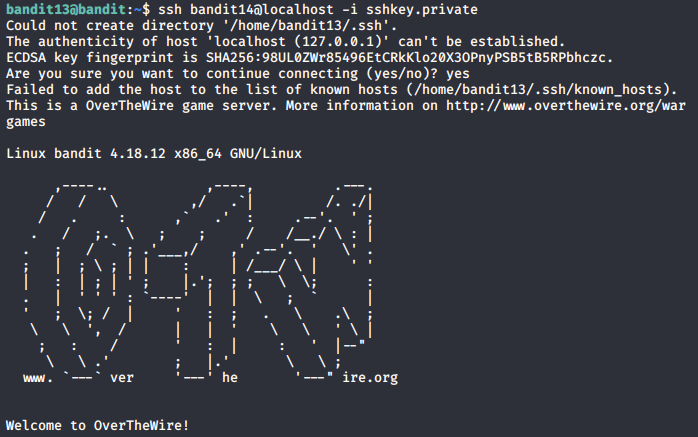
We have successfully logged in as bandit14; so now we can check that file located in /etc/bandit_pass/bandit14:
bandit14@bandit:~$ cat /etc/bandit_pass/bandit14
4wcYUJFw0k0XLShlDzztnTBHiqxU3b3e
The password for logging into the next tier is:
ssh bandit14@bandit.labs.overthewire.org -p 2220
password: 4wcYUJFw0k0XLShlDzztnTBHiqxU3b3e
Bandit Level 14 → Level 15 Level Goal
The password for the next level can be retrieved by submitting the password of the current level to port 30000 on localhost. Commands you may need to solve this level
ssh, telnet, nc, openssl, s_client, nmap
In this challenge, we are testing new methods for making network connections (alternatives to SSH). This exercise also introduces us in a very basic way to post-exploitation: the flag is only echoed back to us if we are already on the bandit.labs.overthewire.org server (and ONLY if we do so as user bandit14). After connecting as the user bandit14, we are meant to use either nc (netcat) or telnet to discover the flag; either service can be used to make a bi-directional connection.
Let’s first remind ourselves of the password we are meant to pass:
bandit14@bandit:~$ cat /etc/bandit_pass/bandit14
4wcYUJFw0k0XLShlDzztnTBHiqxU3b3e
Now we can attempt to make this connection again using either nc or telnet (and passing the password along with it):
bandit14@bandit:~$ nc localhost 30000
4wcYUJFw0k0XLShlDzztnTBHiqxU3b3e
Correct!
BfMYroe26WYalil77FoDi9qh59eK5xNr

bandit14@bandit:~$ ssh localhost -p 30000
ssh_exchange_identification: Connection closed by remote host
bandit14@bandit:~$ telnet localhost 30000
Trying 127.0.0.1...
Connected to localhost.
Escape character is '^]'.
4wcYUJFw0k0XLShlDzztnTBHiqxU3b3e
Correct!
BfMYroe26WYalil77FoDi9qh59eK5xNr
The password for logging into the next tier is:
ssh bandit15@bandit.labs.overthewire.org -p 2220
password: BfMYroe26WYalil77FoDi9qh59eK5xNr
Bandit Level 15 → Level 16 Level Goal
The password for the next level can be retrieved by submitting the password of the current level to port 30001 on localhost using SSL encryption.
Helpful note: Getting “HEARTBEATING” and “Read R BLOCK”? Use -ign_eof and read the “CONNECTED COMMANDS” section in the manpage. Next to ‘R’ and ‘Q’, the ‘B’ command also works in this version of that command… Commands you may need to solve this level
ssh, telnet, nc, openssl, s_client, nmap
This challenge introduces us to SSL/TLS (Secure Sockets Layer / Transport Layer Security) connections; these are protocols for establishing authenticated and encrypted links between networked computers. While both SSH and SSL/TLS offer data-in-motion encryption, server authentication, client authentication, and data integrity mechanisms, SSL/TLS typically employs X.509 digital certificates. To those ends, we can use openssl and s_client to discover the password to the next challenge.
The openssl command line tool can be used for several purposes like creating certificates, viewing certificates, and testing https services/connectivity, etc. The s_client command implements a generic SSL/TLS client which connects to a remote host using SSL/TLS. Combined, a user can open an SSL connection and print the SSL certificate used by the service. After connecting, we will manually supply the password.
bandit15@bandit:~$ openssl s_client -connect localhost:30001
CONNECTED(00000003)
depth=0 CN = localhost
verify error:num=18:self signed certificate
verify return:1
depth=0 CN = localhost
verify return:1
---
Certificate chain
 0 s:/CN=localhost
   i:/CN=localhost
---
Server certificate
-----BEGIN CERTIFICATE-----
MIICBjCCAW+gAwIBAgIEYo1NxTANBgkqhkiG9w0BAQUFADAUMRIwEAYDVQQDDAls
b2NhbGhvc3QwHhcNMjAwMTA1MTQzNTU4WhcNMjEwMTA0MTQzNTU4WjAUMRIwEAYD
VQQDDAlsb2NhbGhvc3QwgZ8wDQYJKoZIhvcNAQEBBQADgY0AMIGJAoGBAKF4u2eu
a8VipZPviX0hfNiCnaD2ojAffdBhKTy1bmZSNRuHPBDnU7z8rblNSknSjCITda1C
GEAI8ZktRbtLpBTbYeTgqPN/EiN5UIRMKbU6P2O93zNFPBsmyfQLrgt+DSLnsxlB
i/yYyT7WLdtNVBpgwRwkqi9K7dk9vf9waswLAgMBAAGjZTBjMBQGA1UdEQQNMAuC
CWxvY2FsaG9zdDBLBglghkgBhvhCAQ0EPhY8QXV0b21hdGljYWxseSBnZW5lcmF0
ZWQgYnkgTmNhdC4gU2VlIGh0dHBzOi8vbm1hcC5vcmcvbmNhdC8uMA0GCSqGSIb3
DQEBBQUAA4GBAJECW6IB3Ria4xG002BqD3zEbtmrDlK6nmJq+uQ4eJ6cT18o9REb
npy/lFzlv2LfcrYAnuAp6Fh89MKaYjNzJURjRQ9RkmcYgQJa1n+OBkATb7V+84/a
k9PDRkscxdNFMGBSvzFD33XZ5lbaGdrwCPyoxenoYghV/753wffN7J6H
-----END CERTIFICATE-----
subject=/CN=localhost
issuer=/CN=localhost
---
No client certificate CA names sent
Peer signing digest: SHA512
Server Temp Key: X25519, 253 bits
---
SSL handshake has read 1019 bytes and written 269 bytes
Verification error: self signed certificate
---
New, TLSv1.2, Cipher is ECDHE-RSA-AES256-GCM-SHA384
Server public key is 1024 bit
Secure Renegotiation IS supported
Compression: NONE
Expansion: NONE
No ALPN negotiated
SSL-Session:
    Protocol  : TLSv1.2
    Cipher    : ECDHE-RSA-AES256-GCM-SHA384
    Session-ID: CACF39BCE2452EDB9B28C85C1959C36B9AECC731EB5B2D799AAA879D42544166
    Session-ID-ctx:
    Master-Key: D0C217D26F0CBCB902B837CE0A087065F905C0E92AB155F298B7A1D2D64BEEE71EDAF4AD86A96037715900A797218DA3
    PSK identity: None
    PSK identity hint: None
    SRP username: None
    TLS session ticket lifetime hint: 7200 (seconds)
    TLS session ticket:
    0000 - 56 e9 4e 87 6a 28 48 d0-13 42 5f b9 61 b0 dd d0   V.N.j(H..B_.a...
    0010 - 3c ee 8f b8 bc 71 89 0b-ed f6 7d 49 eb 66 43 89   <....q....}I.fC.
    0020 - 99 2f fe 9f 18 f7 1b b6-75 d8 e7 0c c3 f4 65 7f   ./......u.....e.
    0030 - 0d 0c 82 eb b2 cc 09 0d-3a a5 6d 3f b1 e4 db d7   ........:.m?....
    0040 - 36 ed 9f 80 9a d3 ba 97-2a 89 8f a8 b1 a5 87 b4   6.......*.......
    0050 - 36 04 c2 a4 68 b3 7a 1f-6d 3f 69 77 23 38 ed cb   6...h.z.m?iw#8..
    0060 - 5b 96 0c bb 22 23 a5 39-fc ae 81 13 96 5e 8a c3   [..."#.9.....^..
    0070 - 8e 13 34 70 64 b4 e3 65-7a b0 44 a8 88 7f 5c 07   ..4pd..ez.D...\.
    0080 - 73 d5 18 96 58 0b d5 5f-65 3f 82 3d f8 45 5e bd   s...X.._e?.=.E^.
    0090 - ed 42 39 7a 22 5a 2a 6f-d5 f8 a4 2a e0 6c 4d 6f   .B9z"Z*o...*.lMo

    Start Time: 1579653515
    Timeout   : 7200 (sec)
    Verify return code: 18 (self signed certificate)
    Extended master secret: yes
---
Note that we are left with a blank line awaiting our input. We supply the password and…
BfMYroe26WYalil77FoDi9qh59eK5xNr
Correct!
cluFn7wTiGryunymYOu4RcffSxQluehd

closed
Thus, the password for logging into the next tier is:
ssh bandit16@bandit.labs.overthewire.org -p 2220
password: cluFn7wTiGryunymYOu4RcffSxQluehd
Bandit Level 16 → Level 17 Level Goal
The credentials for the next level can be retrieved by submitting the password of the current level to a port on localhost in the range 31000 to 32000. First find out which of these ports have a server listening on them. Then find out which of those speak SSL and which don’t. There is only 1 server that will give the next credentials, the others will simply send back to you whatever you send to it. Commands you may need to solve this level
ssh, telnet, nc, openssl, s_client, nmap
For this challenge, we need to employ some rudimentary port-scanning functions. In computer networking, a port is a communication endpoint often represented as a number. Ports are tied to a host’s IP address and a protocol type (such as TCP/UDP). The first 1024 ports are typically reserved for common services such as HTTPS, FTP, and SSH. To that end, we’ll employ the nmap tool.
Nmap is an open source tool for network exploration and security auditing. It is particularly adept at rapidly scanning networks to identify active hosts, services, and even the OS used on said hosts. Nmap performs its functions through the use of IP packets, which can also help provide additional information, such as open, filtered, or closed ports on a host.
Having logged on as bandit16, we begin scanning the localhost across ports 31000 through 32000 using the -p flag:
bandit16@bandit:~$ nmap localhost -p 31000-32000

Starting Nmap 7.40 ( https://nmap.org ) at 2020-01-22 01:54 CET
Nmap scan report for localhost (127.0.0.1)
Host is up (0.00022s latency).
Not shown: 999 closed ports
PORT      STATE SERVICE
31518/tcp open  unknown
31790/tcp open  unknown
Very quickly, we are able to identify 2 open ports: 31518 and 31790. However, we still can’t identify which ports speak SSL. Let’s try the scan again, this time narrowing our search to just the two ports (to save time) and with the -sV flag to probe those ports for service/version information:
bandit16@bandit:~$ nmap localhost -p 31518,31790 -sV

Starting Nmap 7.40 ( https://nmap.org ) at 2020-01-22 01:56 CET
Nmap scan report for localhost (127.0.0.1)
Host is up (0.00016s latency).
PORT      STATE SERVICE     VERSION
31518/tcp open  ssl/echo
31790/tcp open  ssl/unknown
We can now see that both ports 31518 and 31790 feature the SSL service. However, port 31518 is also running the echo protocol. If we were to connect through that port, then the server would simply send back an identical copy of the data we push to it. So instead, let’s attempt to connect through port 31790:
bandit16@bandit:~$ openssl s_client -connect localhost:31790
CONNECTED(00000003)
depth=0 CN = localhost
verify error:num=18:self signed certificate
verify return:1
depth=0 CN = localhost
verify return:1
---
Certificate chain
 0 s:/CN=localhost
   i:/CN=localhost
---
Server certificate
-----BEGIN CERTIFICATE-----
MIICBjCCAW+gAwIBAgIEHYaZVDANBgkqhkiG9w0BAQUFADAUMRIwEAYDVQQDDAls
b2NhbGhvc3QwHhcNMjAwMTA1MTU1NzU4WhcNMjEwMTA0MTU1NzU4WjAUMRIwEAYD
VQQDDAlsb2NhbGhvc3QwgZ8wDQYJKoZIhvcNAQEBBQADgY0AMIGJAoGBALnNkoES
dc+bJYmoBnjc43xt4n/zq0OIlxe37wkJzsH4Zkr5wHwoRTH4Q/g4MarLhcHpyFS7
YBT1hFdxG76tlWhQKjqe680PnxHMrZJFVtO/Gscl9luzalM/h2AebrJ0lX9pPTBX
Yrizk17mvyl50yYj9MLuvIAfb353gv3frwcRAgMBAAGjZTBjMBQGA1UdEQQNMAuC
CWxvY2FsaG9zdDBLBglghkgBhvhCAQ0EPhY8QXV0b21hdGljYWxseSBnZW5lcmF0
ZWQgYnkgTmNhdC4gU2VlIGh0dHBzOi8vbm1hcC5vcmcvbmNhdC8uMA0GCSqGSIb3
DQEBBQUAA4GBADRDuQtY5NX3aZpNcgracBO3f5fNhdTYp+qERd6xVhq5wdEn9iuJ
zXJh/halRZuriUnqoQmhhmHlBX4NGVVue+9OSh3yfGeNDkP+rnZ0Xji4gXRiBZao
+HCq5y9yG1sEufHUFCq2ZRZQ9IOghWiA/qxxGQQD+hocFVljquCricbf
-----END CERTIFICATE-----
subject=/CN=localhost
issuer=/CN=localhost
---
No client certificate CA names sent
Peer signing digest: SHA512
Server Temp Key: X25519, 253 bits
---
SSL handshake has read 1019 bytes and written 269 bytes
Verification error: self signed certificate
---
New, TLSv1.2, Cipher is ECDHE-RSA-AES256-GCM-SHA384
Server public key is 1024 bit
Secure Renegotiation IS supported
Compression: NONE
Expansion: NONE
No ALPN negotiated
SSL-Session:
    Protocol  : TLSv1.2
    Cipher    : ECDHE-RSA-AES256-GCM-SHA384
    Session-ID: 4CD12B5D3A2DE6FCD27112FB2A04D1B2A81CF895C206C792953FCB2C29AAFC9B
    Session-ID-ctx:
    Master-Key: 0E4553644EF5CB3A4B110C8841A070FBE3BAD7051CFE8415ADADFCC66D4420B48D54FAE412B649D5C95CE478F55E046F
    PSK identity: None
    PSK identity hint: None
    SRP username: None
    TLS session ticket lifetime hint: 7200 (seconds)
    TLS session ticket:
    0000 - ba ef 89 66 b0 7e fc 80-8f e1 37 6a 85 4c c3 2c   ...f.~....7j.L.,
    0010 - ea 47 a3 bb e4 35 33 47-a4 dc bd e8 67 bc 20 df   .G...53G....g. .
    0020 - 2c 29 5b 4b f5 48 f3 90-aa 21 c2 c2 26 bc 05 88   ,)[K.H...!..&...
    0030 - 47 bc 58 33 7e a1 1a 76-5a 72 ab 49 b1 8e 28 7f   G.X3~..vZr.I..(.
    0040 - a2 04 6f a4 d4 d9 02 df-77 b9 1b 9a 5c 23 63 0c   ..o.....w...\#c.
    0050 - 9e e1 e2 52 6c 13 d6 f6-e0 3f c2 57 68 a1 ad 5e   ...Rl....?.Wh..^
    0060 - ef 59 7a 95 c9 ec 2c 43-f9 46 6c 9e 81 95 4e f6   .Yz...,C.Fl...N.
    0070 - b2 62 0c b2 26 ce d1 e9-fa c5 9c 17 aa 00 68 fb   .b..&.........h.
    0080 - c1 86 41 3f 77 a1 59 17-ff 7c 79 00 97 14 e2 b3   ..A?w.Y..|y.....
    0090 - 8a 3e 18 9e 6d cb a7 2c-8d 22 06 57 8f 8c 11 0b   .>..m..,.".W....

    Start Time: 1579654839
    Timeout   : 7200 (sec)
    Verify return code: 18 (self signed certificate)
    Extended master secret: yes
---
Brilliant. We now can attempt to submit the current password and see what is returned:
cluFn7wTiGryunymYOu4RcffSxQluehd
Correct!
-----BEGIN RSA PRIVATE KEY-----
MIIEogIBAAKCAQEAvmOkuifmMg6HL2YPIOjon6iWfbp7c3jx34YkYWqUH57SUdyJ
imZzeyGC0gtZPGujUSxiJSWI/oTqexh+cAMTSMlOJf7+BrJObArnxd9Y7YT2bRPQ
Ja6Lzb558YW3FZl87ORiO+rW4LCDCNd2lUvLE/GL2GWyuKN0K5iCd5TbtJzEkQTu
DSt2mcNn4rhAL+JFr56o4T6z8WWAW18BR6yGrMq7Q/kALHYW3OekePQAzL0VUYbW
JGTi65CxbCnzc/w4+mqQyvmzpWtMAzJTzAzQxNbkR2MBGySxDLrjg0LWN6sK7wNX
x0YVztz/zbIkPjfkU1jHS+9EbVNj+D1XFOJuaQIDAQABAoIBABagpxpM1aoLWfvD
KHcj10nqcoBc4oE11aFYQwik7xfW+24pRNuDE6SFthOar69jp5RlLwD1NhPx3iBl
J9nOM8OJ0VToum43UOS8YxF8WwhXriYGnc1sskbwpXOUDc9uX4+UESzH22P29ovd
d8WErY0gPxun8pbJLmxkAtWNhpMvfe0050vk9TL5wqbu9AlbssgTcCXkMQnPw9nC
YNN6DDP2lbcBrvgT9YCNL6C+ZKufD52yOQ9qOkwFTEQpjtF4uNtJom+asvlpmS8A
vLY9r60wYSvmZhNqBUrj7lyCtXMIu1kkd4w7F77k+DjHoAXyxcUp1DGL51sOmama
+TOWWgECgYEA8JtPxP0GRJ+IQkX262jM3dEIkza8ky5moIwUqYdsx0NxHgRRhORT
8c8hAuRBb2G82so8vUHk/fur85OEfc9TncnCY2crpoqsghifKLxrLgtT+qDpfZnx
SatLdt8GfQ85yA7hnWWJ2MxF3NaeSDm75Lsm+tBbAiyc9P2jGRNtMSkCgYEAypHd
HCctNi/FwjulhttFx/rHYKhLidZDFYeiE/v45bN4yFm8x7R/b0iE7KaszX+Exdvt
SghaTdcG0Knyw1bpJVyusavPzpaJMjdJ6tcFhVAbAjm7enCIvGCSx+X3l5SiWg0A
R57hJglezIiVjv3aGwHwvlZvtszK6zV6oXFAu0ECgYAbjo46T4hyP5tJi93V5HDi
Ttiek7xRVxUl+iU7rWkGAXFpMLFteQEsRr7PJ/lemmEY5eTDAFMLy9FL2m9oQWCg
R8VdwSk8r9FGLS+9aKcV5PI/WEKlwgXinB3OhYimtiG2Cg5JCqIZFHxD6MjEGOiu
L8ktHMPvodBwNsSBULpG0QKBgBAplTfC1HOnWiMGOU3KPwYWt0O6CdTkmJOmL8Ni
blh9elyZ9FsGxsgtRBXRsqXuz7wtsQAgLHxbdLq/ZJQ7YfzOKU4ZxEnabvXnvWkU
YOdjHdSOoKvDQNWu6ucyLRAWFuISeXw9a/9p7ftpxm0TSgyvmfLF2MIAEwyzRqaM
77pBAoGAMmjmIJdjp+Ez8duyn3ieo36yrttF5NSsJLAbxFpdlc1gvtGCWW+9Cq0b
dxviW8+TFVEBl1O4f7HVm6EpTscdDxU+bCXWkfjuRb7Dy9GOtt9JPsX8MBTakzh3
vBgsyi/sN3RqRBcGU40fOoZyfAMT8s1m/uYv52O6IgeuZ/ujbjY=
-----END RSA PRIVATE KEY-----
It’s clear we’ve discovered yet another private RSA key! Let’s save it locally using a text editor (in this case, nano; you will need to copy/paste the key into the file. In this instance, I saved the file as “bandit17.key”), then try to call it:
bandit16@bandit:~$ mkdir /tmp/ahessmat_bandit16
bandit16@bandit:~$ cd /tmp/ahessmat_bandit16
bandit16@bandit:/tmp/ahessmat_bandit16$ nano
bandit16@bandit:/tmp/ahessmat_bandit16$ ls
bandit17.key
bandit16@bandit:/tmp/ahessmat_bandit16$ ssh bandit17@localhost -i bandit17.key
Could not create directory '/home/bandit16/.ssh'.
The authenticity of host 'localhost (127.0.0.1)' can't be established.
ECDSA key fingerprint is SHA256:98UL0ZWr85496EtCRkKlo20X3OPnyPSB5tB5RPbhczc.
Are you sure you want to continue connecting (yes/no)? yes
Failed to add the host to the list of known hosts (/home/bandit16/.ssh/known_hosts).
This is a OverTheWire game server. More information on http://www.overthewire.org/wargames

@@@@@@@@@@@@@@@@@@@@@@@@@@@@@@@@@@@@@@@@@@@@@@@@@@@@@@@@@@@
@         WARNING: UNPROTECTED PRIVATE KEY FILE!          @
@@@@@@@@@@@@@@@@@@@@@@@@@@@@@@@@@@@@@@@@@@@@@@@@@@@@@@@@@@@
Permissions 0644 for 'bandit17.key' are too open.
It is required that your private key files are NOT accessible by others.
This private key will be ignored.
Load key "bandit17.key": bad permissions
bandit17@localhost's password:
Here is another important lesson: SSH is designed to reject insecure private keys. Private keys, as we determined earlier in “Bandit Level 13 → Level 14”, contain sensitive data. This data innately should be readable (and perhaps even writeable) by the user, but not accessible by others (read/write/execute). SSH will ignore a private key file if it is accessible by others. We modify permissions to our bandit17.key file by evoking the chmod command.
The chmod command can alter the file’s permissions corresponding to a four-digit octal number (note: chmod also will accept 3 digits, and will assume the 4th is simply 0. For example: 600 will be read as 0600). Permissions are denoted as follows: 1 - can execute 2 - can write 4 - can read
The combined permissions are represented in the octal number (for example: 6 = 2 + 4 = can write & read). Likewise, the position of the octal digit corresponds to which type of user the permissions apply to: 123 1 - what owner can 2 - what users in the file group(class) can 3 - what users not in the file group(class) can
In this case, we were informed that the bandit17.key file’s permissions (644) were too permissive. We can change this by restricting read/write privileges strictly to us (the owner) by executing the following:
bandit16@bandit:/tmp/ahessmat_bandit16$ chmod 600 bandit17.key
Then, we try to login again:
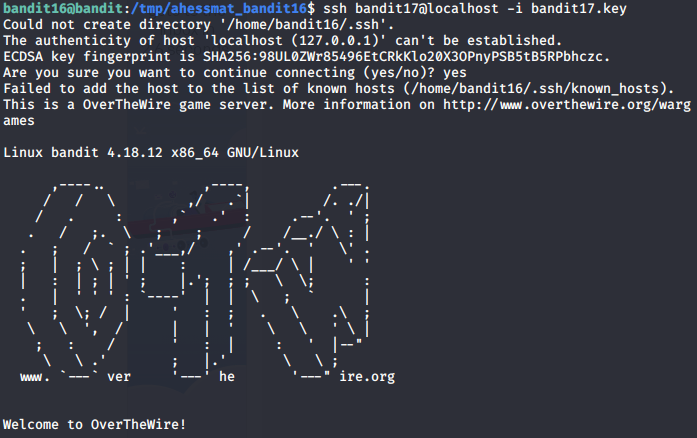
Success!
Bandit Level 17 → Level 18 Level Goal
There are 2 files in the homedirectory: passwords.old and passwords.new. The password for the next level is in passwords.new and is the only line that has been changed between passwords.old and passwords.new
NOTE: if you have solved this level and see ‘Byebye!’ when trying to log into bandit18, this is related to the next level, bandit19 Commands you may need to solve this level
cat, grep, ls, diff
In this challenge, we need to use the command line in order to compare two similar text files. To do this, we can leverage the diff command. The diff command compares two files line by line, with the output indicating how the lines in each file are different along with the steps involved to change file 1 to file 2. Let’s try running it on the files we find:
bandit17@bandit:~$ ls
passwords.new  passwords.old
bandit17@bandit:~$ diff passwords.new passwords.old
42c42
< kfBf3eYk5BPBRzwjqutbbfE887SVc5Yd
---
> hlbSBPAWJmL6WFDb06gpTx1pPButblOA
In this output, we can see that line 42 in passwords.new should be changed from “kfBf3eYk5BPBRzwjqutbbfE887SVc5Yd” to “hlbSBPAWJmL6WFDb06gpTx1pPButblOA” in order to match passwords.old. Furthermore, this is the ONLY change.
Thus, the password for logging into the next tier is:
ssh bandit18@bandit.labs.overthewire.org -p 2220
password: kfBf3eYk5BPBRzwjqutbbfE887SVc5Yd
Bandit Level 18 → Level 19 Level Goal
The password for the next level is stored in a file readme in the homedirectory. Unfortunately, someone has modified .bashrc to log you out when you log in with SSH. Commands you may need to solve this level
ssh, ls, cat
Thus far, the challenges we’ve encountered involving SSH have done so as a means for us to log into the servers first and then perform follow-on commands second. However, the SSH client program can be used for logging into a remote machine/server and executing commands all in one command. Why would this be useful? Let’s first attempt to login as we have in previous challenges:
bandit18@bandit.labs.overthewire.org's password:
Linux bandit 4.18.12 x86_64 GNU/Linux

      ,----..            ,----,          .---.
     /   /   \         ,/   .`|         /. ./|
    /   .     :      ,`   .'  :     .--'.  ' ;
   .   /   ;.  \   ;    ;     /    /__./ \ : |
  .   ;   /  ` ; .'___,/    ,' .--'.  '   \' .
  ;   |  ; \ ; | |    :     | /___/ \ |    ' '
  |   :  | ; | ' ;    |.';  ; ;   \  \;      :
  .   |  ' ' ' : `----'  |  |  \   ;  `      |
  '   ;  \; /  |     '   :  ;   .   \    .\  ;
   \   \  ',  /      |   |  '    \   \   ' \ |
    ;   :    /       '   :  |     :   '  |--"
     \   \ .'        ;   |.'       \   \ ;
  www. `---` ver     '---' he       '---" ire.org


Welcome to OverTheWire!
...
Byebye !
Connection to bandit.labs.overthewire.org closed.
Indeed, we discover that we are immediately booted after attempting to login. However, we already know where the file is, as well as what the file is named (readme). We can thus perform a command by surrounding our intended command with quotes:
root@kali:~# ssh bandit18@bandit.labs.overthewire.org -p 2220 "cat ~/readme"
This is a OverTheWire game server. More information on http://www.overthewire.org/wargames

bandit18@bandit.labs.overthewire.org's password:
IueksS7Ubh8G3DCwVzrTd8rAVOwq3M5x
Thus, the password for logging into the next tier is:
ssh bandit19@bandit.labs.overthewire.org -p 2220
password: IueksS7Ubh8G3DCwVzrTd8rAVOwq3M5x
Bandit Level 19 → Level 20 Level Goal
To gain access to the next level, you should use the setuid binary in the homedirectory. Execute it without arguments to find out how to use it. The password for this level can be found in the usual place (/etc/bandit_pass), after you have used the setuid binary.
This challenge builds upon our understanding of user permissions/access, not unlike what we encountered in “Bandit Level 16 → Level 17 Level”. The setuid and setgid (short for “set user ID” and “set group ID”) are Linux access rights flags that allow users to run an executable with the permissions of the executable’s owner/group, thereby changing behaviour in certain directories.
To demonstrate this, let us try to access the file with the password immediately with just the bandit19 permissions:
bandit19@bandit:~$ file /etc/bandit_pass/bandit20
/etc/bandit_pass/bandit20: regular file, no read permission
As expected, we do not have the necessary permission to read the password file. Now, let’s see what we are given to engage the problem:
bandit19@bandit:~$ ls
bandit20-do
bandit19@bandit:~$ file bandit20-do
bandit20-do: setuid ELF 32-bit LSB executable, Intel 80386, version 1 (SYSV), dynamically linked, interpreter /lib/ld-linux.so.2, for GNU/Linux 2.6.32, BuildID[sha1]=8e941f24b8c5cd0af67b22b724c57e1ab92a92a1, not stripped
bandit19@bandit:~$ ./bandit20-do
Run a command as another user.
  Example: ./bandit20-do id
Upon examination, we can see that we’re given an executable called “bandit20-do”. When we attempt to run the program with no parameters, we are given follow-on insight that the executable permits us to run commands as someone else (presumably bandit20). Let’s attempt to read that password file again, but this time using the bandit20-do executable:
bandit19@bandit:~$ ./bandit20-do cat /etc/bandit_pass/bandit20
GbKksEFF4yrVs6il55v6gwY5aVje5f0j